Interactive AI portfolio
A self-initiated portfolio product built around a structured knowledge base and AI assistant that helps visitors explore Patrycja's experience, projects, strengths, and role fit.
Context
Problem
My role
Key challenges
- Making the AI layer useful rather than gimmicky
- Structuring portfolio knowledge so the assistant can answer from reliable source material
- Designing role-fit answers that are helpful but not overpromotional
- Balancing personality with professional credibility
- Keeping key portfolio information visible even for visitors who do not use chat
Process
What I worked on
Portfolio as product
Structuring the website around visitor tasks: understand the profile, choose relevant projects, evaluate role fit, and find a clear contact path.
Knowledge-base design
Turning portfolio materials into structured source content the assistant can use without relying on vague memory or inflated self-description.
Assistant behavior
Defining how the assistant should answer, what it should avoid, how it should handle uncertainty, and when it should point to specific projects.
Role-fit logic
Designing a more honest way to compare Patrycja's profile with a job description or product-team need: strengths, relevant evidence, gaps, and next questions.
Key design decisions
A chatbot can easily feel like a gimmick if it is not connected to a real user need.
Frame the assistant as a way to explore portfolio evidence by question, role, or project — not as an AI novelty.
This keeps the AI layer useful before it is impressive.
Portfolio assistants can overclaim, invent results, or make every answer sound like a sales pitch.
Ground the assistant in a structured knowledge base with explicit rules about uncertainty, limits, and unsupported claims.
Trust matters more than a flattering answer, especially in hiring contexts.
Not every visitor wants to use chat, and essential evidence should not be hidden behind an assistant.
Keep project pages, navigation, and visible content strong enough to work without chat.
The assistant complements the portfolio instead of becoming the only way to understand it.
Solution
Visual evidence
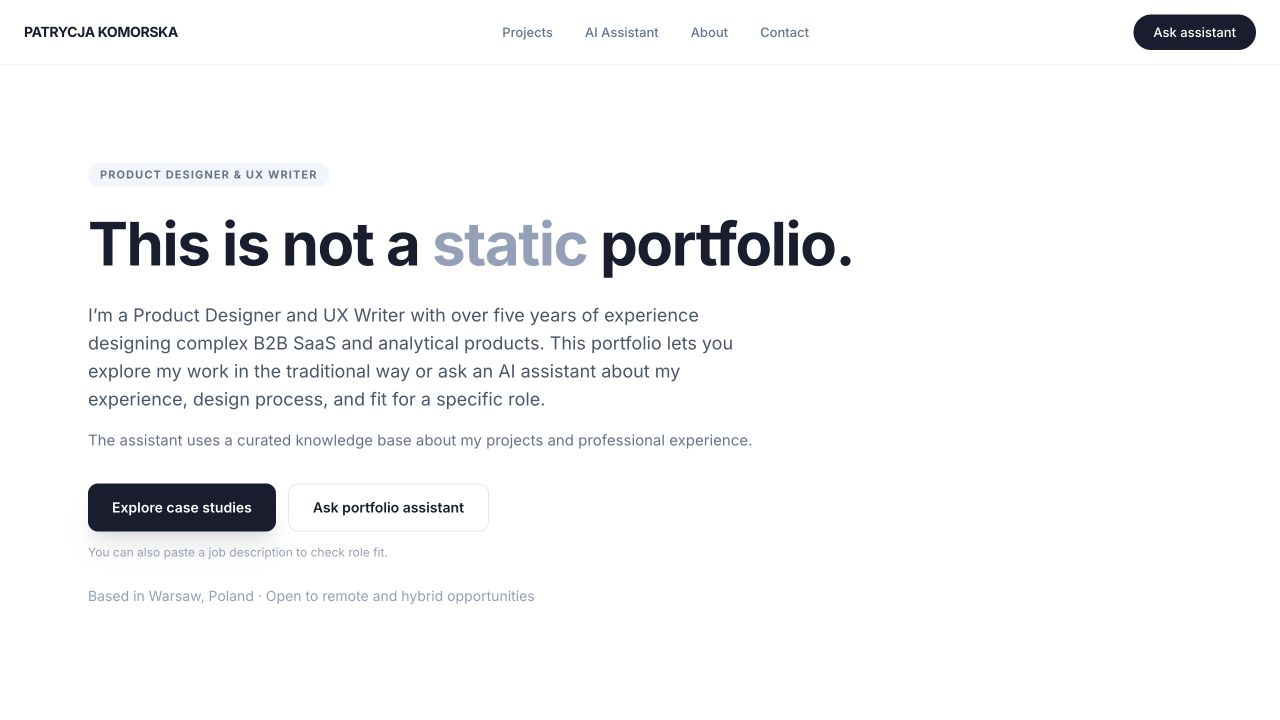
Two entry paths: browse or ask
The homepage frames the portfolio as a product experience and gives visitors a choice: browse case studies or ask the AI assistant a targeted question.
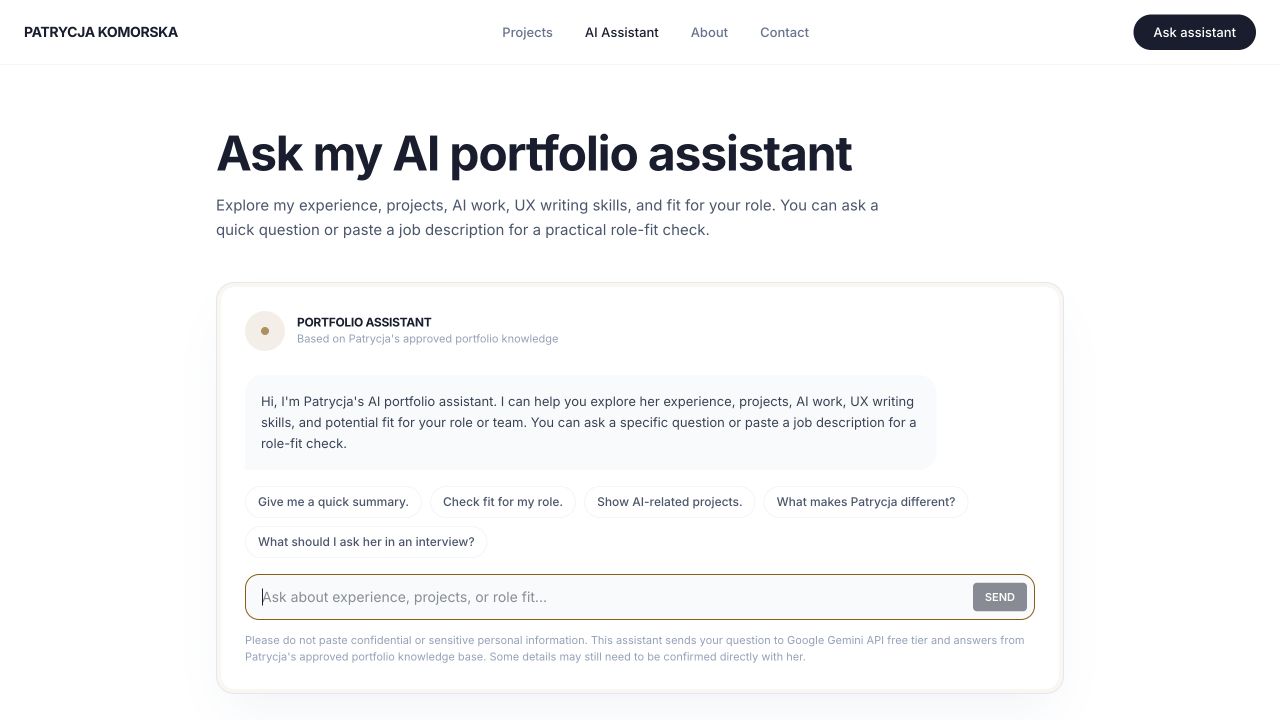
Assistant as a guided exploration layer
The assistant gives visitors a faster way to explore experience, projects, AI work, UX writing skills, and role fit while staying grounded in the approved portfolio knowledge.
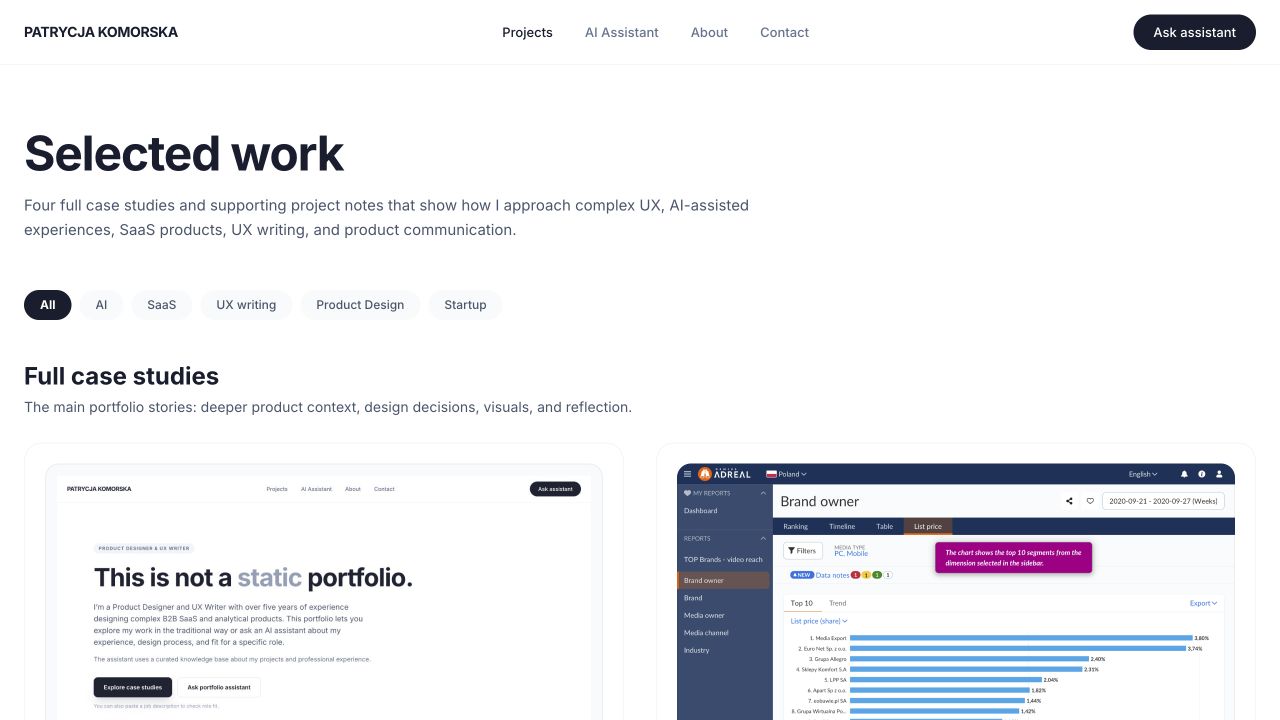
Evidence stays visible outside chat
The project index keeps the portfolio useful for visitors who prefer direct browsing, with filters and case-study cards acting as the main evidence layer.
What this project demonstrates
- AI assistant design
- knowledge base structure
- system prompt design
- role-fit logic
- portfolio as product experience
- conversational UX
- product positioning
Reflection
Ask the assistant about this project
Hi, I'm Patrycja's AI portfolio assistant. I can help you explore her experience, projects, AI work, UX writing skills, and potential fit for your role or team. You can ask a specific question or paste a job description for a role-fit check.
Please do not paste confidential or sensitive personal information. This assistant sends your question to Google Gemini API free tier and answers from Patrycja's approved portfolio knowledge base. Some details may still need to be confirmed directly with her.