Physical-digital UX for research devices
A supporting project note about earlier UX work for interfaces connected to physical devices: a remote-controlled research boat control interface and a TV viewership measurement device.
Context
Problem
My role
Key challenges
- Keeping critical telemetry, status, route, speed, alarms, and control actions visible during operation
- Designing for a laptop screen used outdoors, including readability in strong sunlight
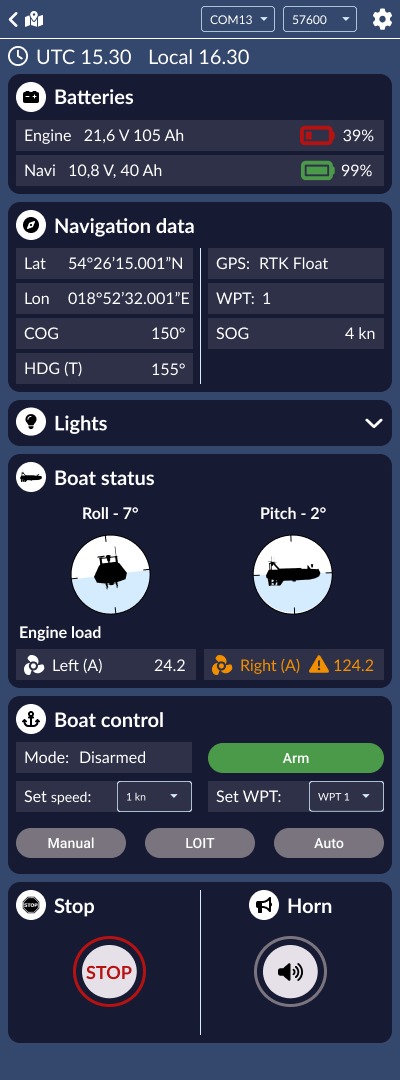
- Allowing the map to collapse because the operator often needed another research-related view on the same screen
- Supporting route planning through waypoints, including sending, reading, importing, and exporting route data
- Adding a winch-control module for sample collection without overloading the main navigation interface
- Making TV meter interactions simple enough for household and multigenerational use
Process
What I worked on
Remote-controlled research boat navigation
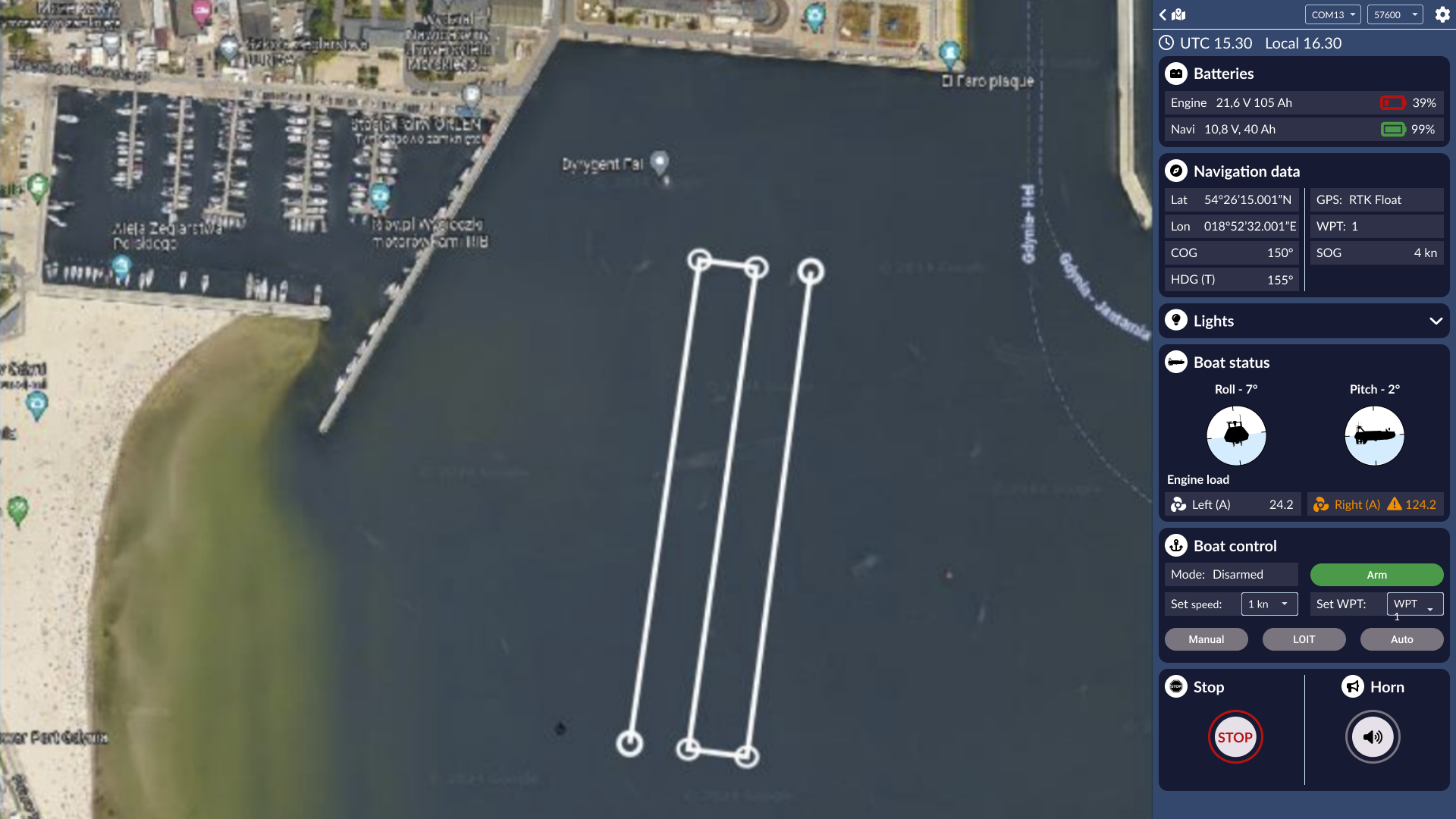
A laptop interface for planning routes, monitoring telemetry, controlling speed and mode, and supervising a research boat from shore.
Map and waypoint planning
Map-based waypoint creation, route visualization, sending waypoints to the autopilot, and reading waypoints already stored in the system.
Telemetry and safety controls
Always-visible information such as GPS status, speed, heading, battery status, roll, pitch, engine load, alarms, stop, horn, and operating mode.
Winch and sample-collection module
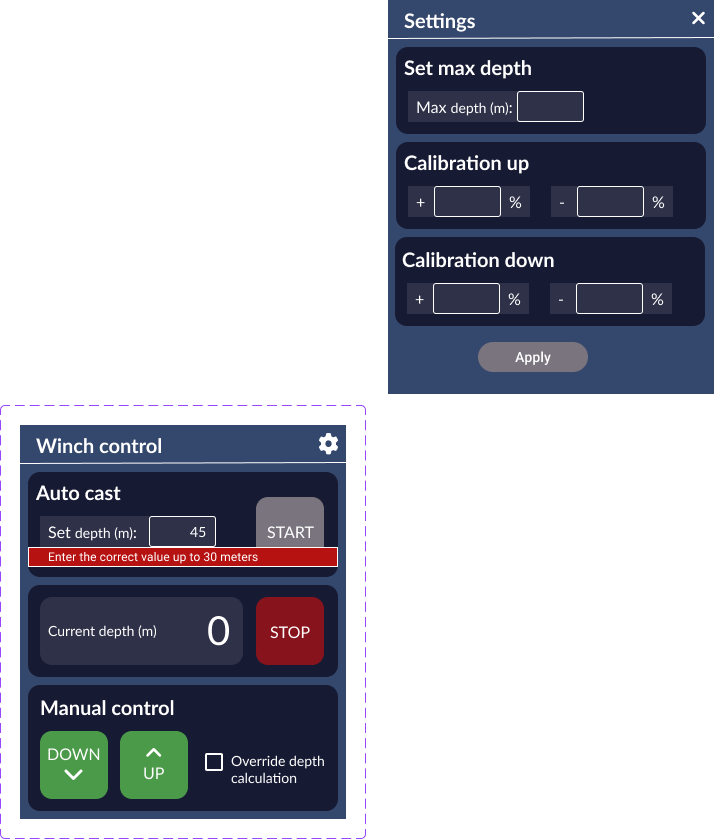
A specialist module for sample collection, including target depth, manual controls, settings, calibration, and validation for safe operating limits.
TV viewership measurement device
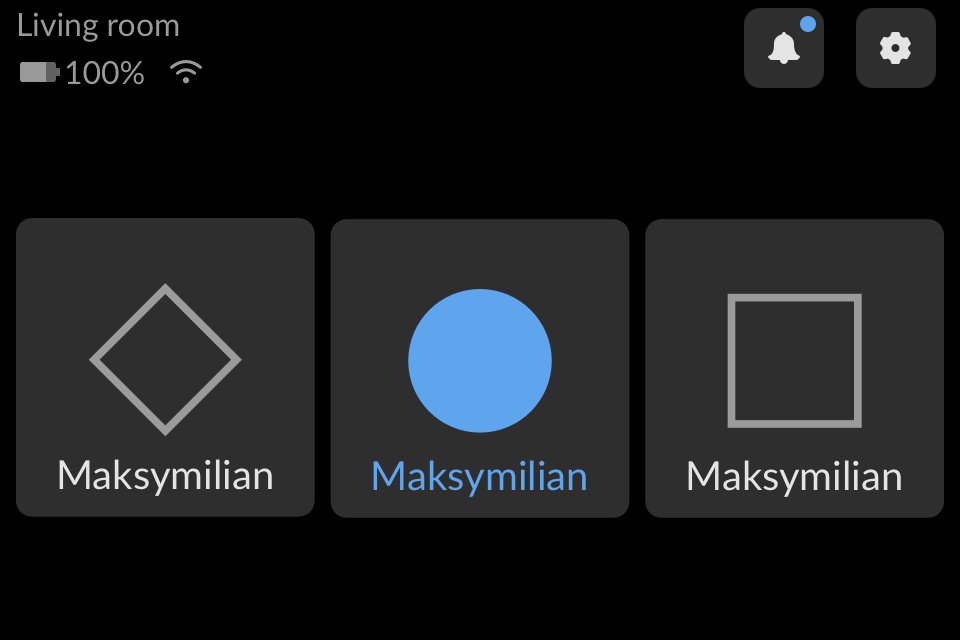
A household-facing interface for panelist check-in and status visibility, designed for simple interaction in a living-room context.
Key design decisions
The operator needed the map for navigation, but the same screen often had to support another research-related view.
Design both a full map view and a collapsed-map state, keeping telemetry and control modules usable even when the map is hidden.
The interface could adapt to real field work instead of assuming a perfect single-task screen.
In field conditions, hidden status information or low-contrast controls can become more than an inconvenience.
Prioritize high-contrast panels, large critical controls, and clear grouping for navigation, status, batteries, alarms, and boat control.
Operational interfaces need quick recognition and low ambiguity, especially outdoors and under changing conditions.
Sample collection required additional controls, but the main navigation view could not become overloaded.
Treat the winch as a separate module with its own simple control structure, settings, and input validation.
Specialist functionality stays available without competing with navigation and safety information.
A TV meter in a household cannot assume expert users or focused attention.
Use large visual selection areas, simple status indicators, and recognizable interaction patterns.
The device has to fit into everyday home behavior, not ask household members to behave like trained operators.
Solution
Visual evidence
Navigation-first operating view
The open-map state gives the operator route context while keeping critical telemetry, battery information, speed, heading, status, alarms, stop, horn, and mode controls visible.
Collapsed map for real screen-space constraints
The map could be hidden when another research view needed space on the same laptop screen, while operational controls stayed accessible.
Specialist module with validation
The winch module supported sample collection through auto-cast, manual up/down controls, settings, calibration, and clear validation for safe input limits.
TV meter interface for household use
The TV meter work focused on simple selection, visible device status, and interaction patterns that could work in a living-room context rather than an expert software environment.
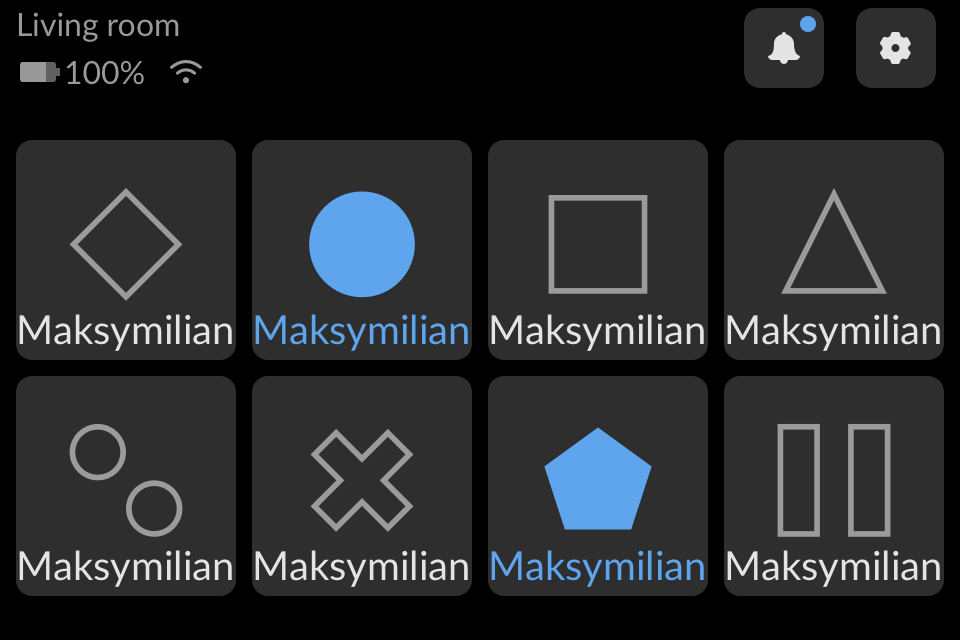
Scaling the same interaction to more household members
The larger household view tested how the same simple visual interaction could scale while remaining readable from a distance.
What this project demonstrates
- designing for real-world operating conditions
- hardware-adjacent UX
- telemetry and control hierarchy
- field-use readability
- research-driven interface structure
- accessibility for non-standard contexts
- domain learning and cross-functional collaboration
Reflection
Ask the assistant about this project
Hi, I'm Patrycja's AI portfolio assistant. I can help you explore her experience, projects, AI work, UX writing skills, and potential fit for your role or team. You can ask a specific question or paste a job description for a role-fit check.
Please do not paste confidential or sensitive personal information. This assistant sends your question to Google Gemini API free tier and answers from Patrycja's approved portfolio knowledge base. Some details may still need to be confirmed directly with her.